

Video tutorial · 3:40 · English captions
Shopify Quantity Breaks: Set Up and Test with MultiTier Discounts
Set up Shopify quantity breaks in MultiTier Discounts and test 2 eligible units at 10% off and 3 or more at 15% off, from product page to checkout.
Chapters
- 0:00The quantity-break offer
- 0:20Start a quantity-break campaign
- 0:41Select the eligible product
- 1:11Set the 10% and 15% tiers
- 1:40Review and save an inactive draft
- 2:10Test the product-page widget
- 2:41Verify the cart and checkout
- 3:05Test discount removal and exclusions
What to test in your cart
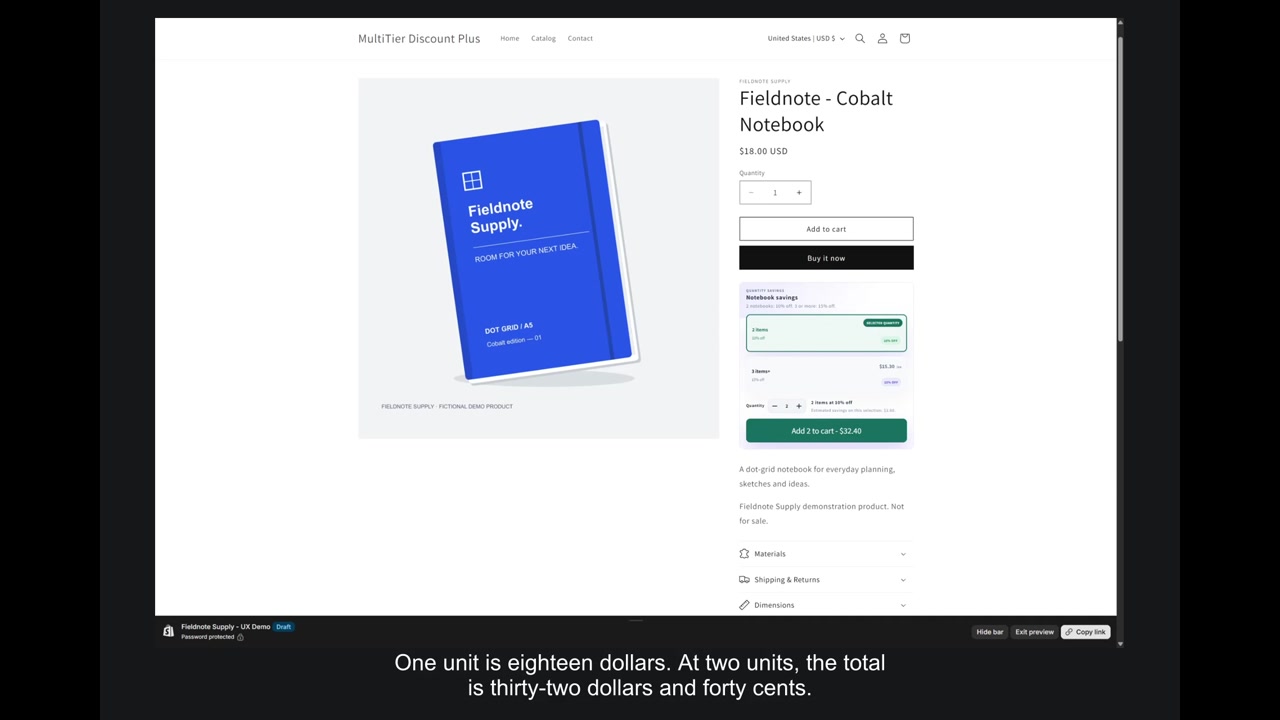
In the Fieldnote Supply demo, two eligible notebooks on one cart line get 10% off; three or more get 15% off. The tiers do not stack, and two one-unit lines do not combine to qualify.
Check the product widget, cart, and checkout at each tier. Then return to one unit to verify that the discount is removed. The demo uses fictional products and no order is placed.
Read the quantity-break planning guide