

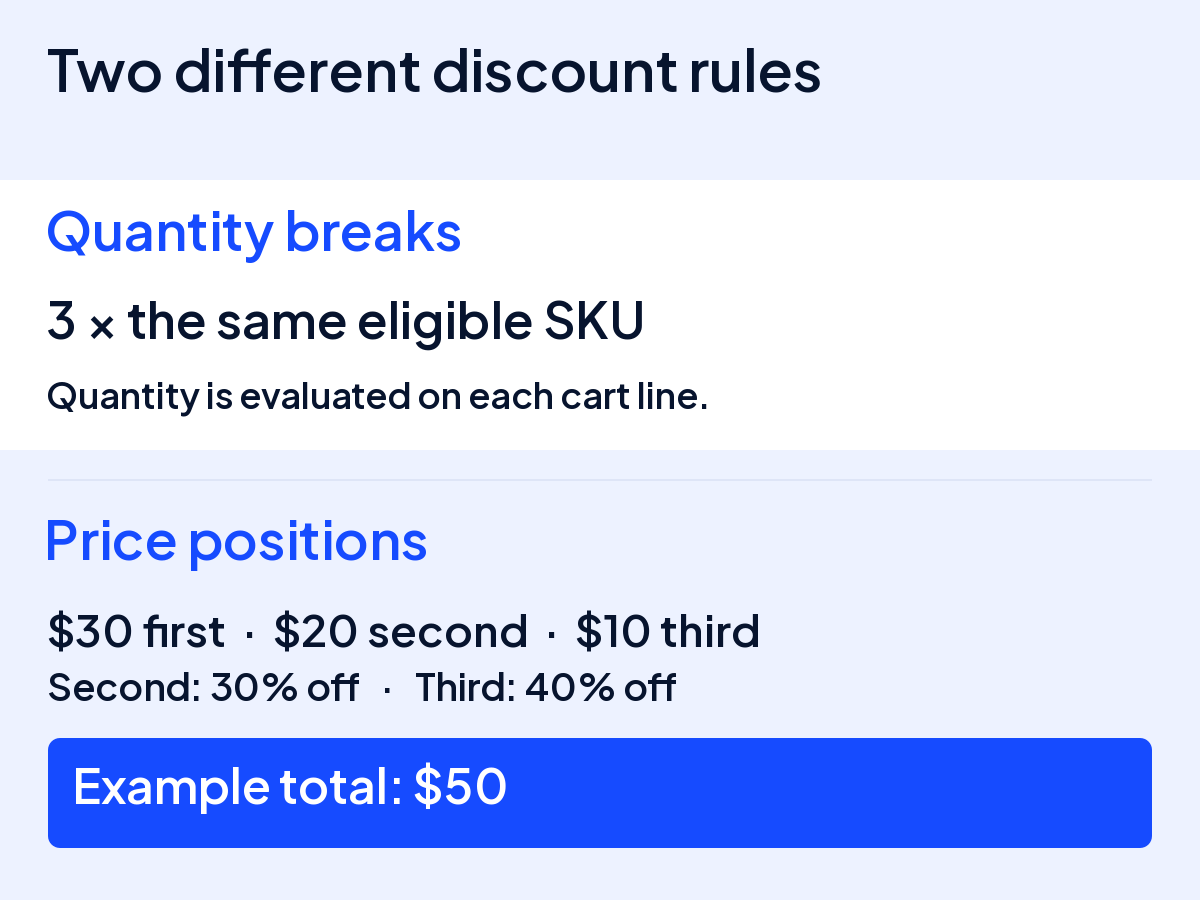
To discount only the second item in a Shopify cart, you need a rule that decides which eligible item counts as second and gives the reward to that item alone. Shopify’s own Buy X Get Y discount covers a simple version: in an automatic discount where the customer buys and gets from the same product or collection, Shopify discounts the lower-priced item. If the second and third items need different rewards, or you want to choose how items are ordered, use a position rule in an app such as MultiTier Discounts.
First decide which item is the second
With two different items in the cart, “the second item” can mean different things. Choose one before you configure anything, and use the same words on the product page.
Rewarding the cheaper item keeps the discount on the lower price. Rewarding the more expensive item costs more on every mixed cart.
When Shopify’s own discount is enough
A Shopify Buy X Get Y discount lets the customer buy qualifying items and get other items at a percentage off, an amount off, or free. In an automatic discount where the “buys” and “gets” sections use the same product or collection, Shopify discounts the lower-priced item the customer chooses. The discounted item is never added to the cart for the shopper.
If your offer is one reward on the cheaper of two items from one collection, try this first. You may not need an app. Read Shopify’s Buy X Get Y help page.
When you need position rules
- The second and third items get different rewards, for example 30% and 40%.
- You want to choose the order: price high to low, price low to high, or cart order.
- Only some products, variants, collections or tags should fill a position.
- Each position should show its own discount message in the cart and at checkout.
- The offer needs customer or country targeting, a schedule, or usage limits.
Set it up in MultiTier Discounts
In MultiTier Discounts, a price-position campaign gives a reward to each position you set. For a second-item offer, start from the “2 for 1 at 50% off” template: it discounts the second eligible item, with items ordered by price from highest to lowest. In Quantity and Sorting, Price: High to Low is the default and compares unit prices, not line totals. The per-line quantity cap limits how many units on a line receive the reward.
For example, with three different eligible items at $30, $20 and $10, High to Low sorting, 30% on position 2 and 40% on position 3 give $6 off the $20 item and $4 off the $10 item: $50 before tax and shipping. This is example arithmetic, not a customer result.
Related templates include “3 for 2 — cheapest free”, “3 for 2 — 3rd at 50% off” and “Tiered discount (25%, 50%, 75%)”. Every plan includes this campaign type; the Free plan allows one active campaign. Follow the illustrated price-position setup.
Two units of the same item
Position rules count eligible cart lines. Two units of the same variant on one line fill one position, not two. Shopify can also group identical units on one line or split them by line properties, so do not judge the result by the rows you see.
If the offer is “buy two of the same product, get the second half price”, a quantity break can give the same total. Two $18 units with the second at 50% off cost $27; two units at 25% off each also cost $27. The totals only match at exactly two units. At three units, 25% off each saves more than one half-price item, so write the expected total for two, three and four units before you choose.
Check the margin
Half off the second item is 25% off the pair when both items cost the same. When the second item is cheaper, the discount is a smaller share of the order. Model the least profitable eligible cart, not the headline example, and decide whether the offer may combine with other product, order or shipping discounts.
Test before launch
Second-item test path
- One eligible item: no reward
- Two different eligible items: the reward lands on the item you chose
- Two units of the same variant on one line
- Three or more items: later positions behave as planned
- An ineligible item in the cart does not take a position
- Remove an item: the reward moves or disappears as expected
- Product page, cart, mobile layout and checkout show the same result
- Another automatic discount or code in the same cart
Related product
MultiTier Discounts
Position rules, quantity breaks, Buy X Get Y, gifts and cart-value rewards in one Shopify app, applied at checkout with Shopify Functions.